So far with Ortho4XP 1.4 (forked), I’ve worked on unmasking water in harbours and inlets, and updating the ortho to be compatible with X-Plane 12 water turbidity.
Early on, I checked the settings and realised that it was back to the default with no connection to LINZ, and I no longer have the old Ortho4XP that I was using since 2017 that has the working configuration that connects to LINZ Data Service and pulls down ortho photography.
I enabled the LINZ connection in the UI and added my API Key (think of this as an account password) as the Ortho4XP one might be bad at this point. Trying a quick test yielded nothing.
Here’s some of the Meta-data to aerial photography layers that I can use. The important part is the Layer ID that you have to ask for when downloading tiles as no one set of images will cover much of the country, I have to keep chopping and changing the layers that I pull down.
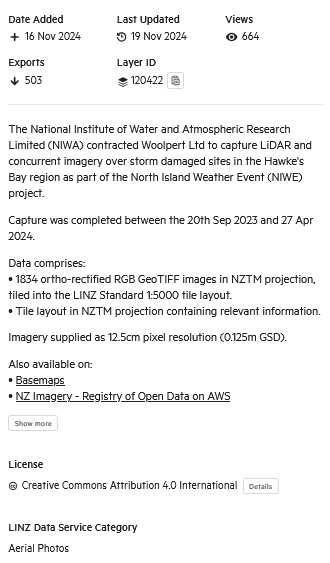
I checked the LINZ documentation and the layer details to see if anything was obviously mis-configured. This led me down several rabbit holes as there are quite a few ways to reference the imagery with different addresses. LINZ also did a big migration to be hosted on Koordinates cloud based servers years ago, so I thought the issue might be related to that.
The results were pretty disheartening with it working but only pulling down white squares with a note that the image isn’t available, or I’d tweak the configuration and break it trying to test out other things.
The configuration looks something like this:
URL_Template=http://koordinates-tiles-a.global.ssl.fastly.net/services;key=YOUR_API_KEY/tiles/v4/layer=LAYER_ID,style={styleID}/EPSG:3857/{z}/{x}/{y}.pngYOUR_API_KEY: When you setup a free account you can then create your own API key that identifies you as the requester. They can then rate limit you if you too demanding, for example.
LAYER_ID: Identifies the specific set of ortho photos you want to download
{z}: Zoom Level
{x} & {y}: The tile row and column of each photo
Confusingly, if you browse the LINZ Data Service and find a nice layer to use, the Tile Service address is completely different. Here’s the option:

And this is what it looks like:
https://tiles-cdn.koordinates.com/services;key=[api_token]/tiles/v4/layer=120422/EPSG:3857/{z}/{x}/{y}.pngSo, I spent a lot of time trying to get ortho to download by updating the addresses and even messing with the parallel processing options.
After far too much time trying to figure out what was wrong I found that Ortho4XP logs what is happening via the Verbosity setting. Increasing that to the highest setting makes the app spit out a tremendous amount of text on absolutely everything it is doing and what it’s being told. If I’d known about this earlier I wouldn’t have spent so much time going down the rabbit holes.
The critical piece of information logged looked something like this: (paraphrased)
Requesting - http://koordinates-tiles-a.global.ssl.fastly.net/services;key=jkwef932439/tiles/v4/layer=110422,style=auto/EPSG:3857/{z}/82880/16612.png
Response - Not found
Ortho4XP would then complain that the image can’t be found and draw a white square and repeat that for every image.
The reason why this logging is so crucial is the I can see what the payload of the request is and confirm that the data service is receiving it and giving a response and telling me I’m crazy.
It’s pretty clear to see the issue though – the payload is correctly including my API Key, the referenced layer that I want to download and the X and Y row and column of that particular request, but going horribly wrong by including {z} in the request.
Z is a variable that is meant to be replaced with the Zoom level value. Lyndiman Ortho is all in Zoom level 17. Zoom Level ranges from 0 to 23 and if it was a higher value we’d probably need terabytes of space instead of 260GB!
So, the problem isn’t that the API key is invalid, or the system has migrated and the URLs are out of date, or the layers have changed references, it’s that little ‘z’ isn’t being replaced with whatever the user has selected in the zoom level drop down and the request is being sent with the unpopulated variable left there instead.
Simple fix for me, since I only use ZL:17: I overwrote the {z} variable with 17. This hard codes it to always be 17 and it’s almost certainly what I did back in 2017.
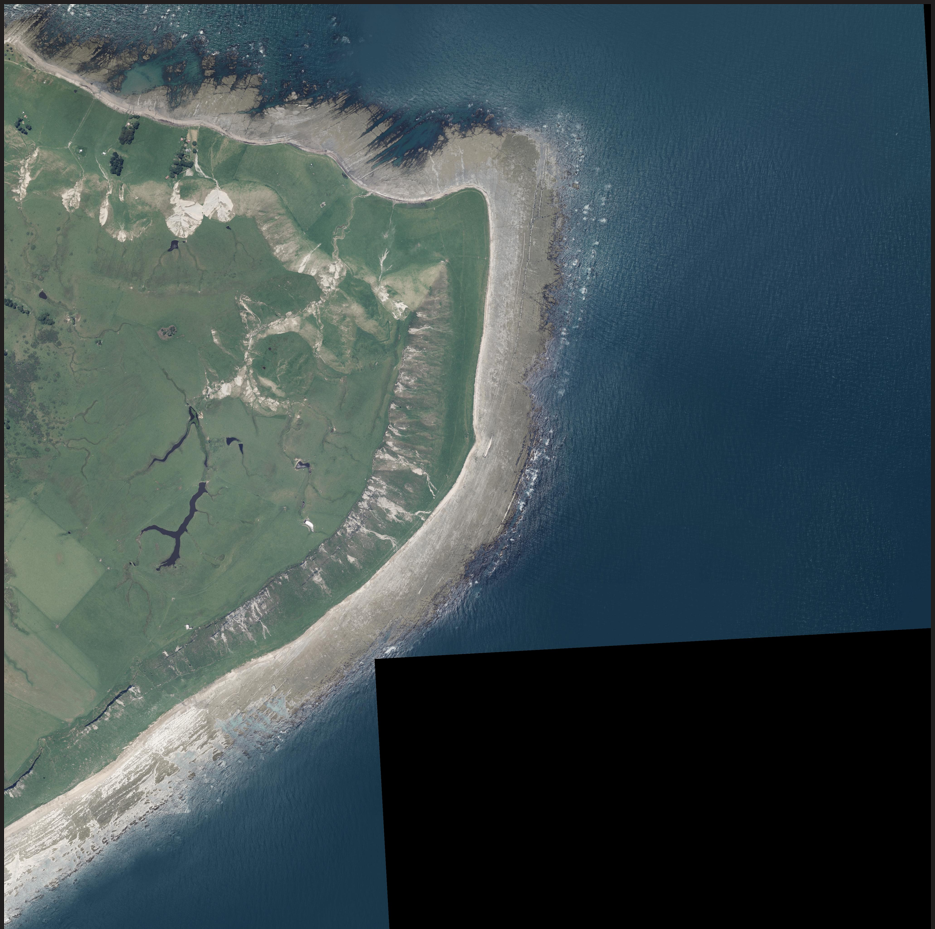
Requesting - http://koordinates-tiles-a.global.ssl.fastly.net/services;key=jkwef932439/tiles/v4/layer=110422,style=auto/EPSG:3857/17/82880/16612.pngWith that fixed the Web Tile Service quickly came to life and gave me my first ortho photo in a long time:
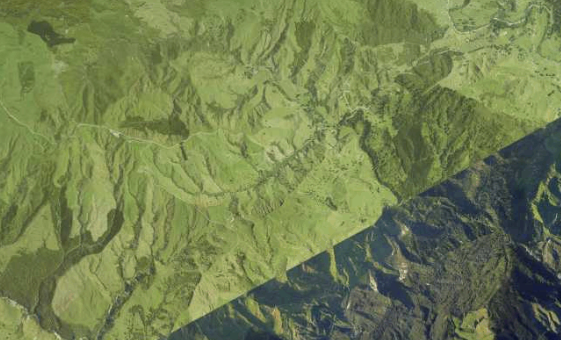
With that in mind, if I were to update all of NZ with new imagery it would probably take a year (this is a hobby) and many areas don’t really have updated imagery anyway, or it looks like this:
But this is a big blocker which is now out of the way. One other big blocker issue exists also, but I’ll leave that for another day!
Categories: Flight Simulation
 New airport: NZKM Karamea
  Planting seeds
  Landing now: Lyndiman NZ Ortho 2025 is now available.
  Sounds like a good idea
  Lyndiman's Blog
Comment on this here!